

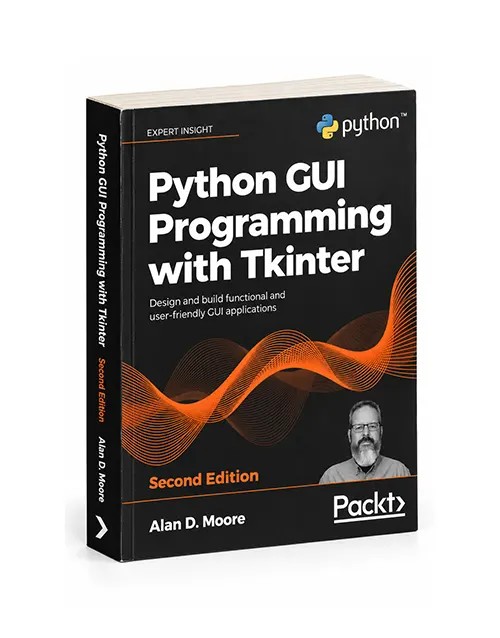


Python GUI Programming with Tkinter, Second Edition
Python GUI Programming with Tkinter, 2nd Edition by Alan D. Moore is a practical guide to designing, developing, and maintaining desktop applications using Python and the Tkinter graphical user interface library. Published by Packt in October 2021, this edition takes readers through the process of building a fully functional application, from understanding user requirements and designing forms to implementing features, organizing code, testing functionality, and preparing software for distribution.
Python is widely used for automation, data processing, scripting, and software development. While many Python programs operate through command-line interfaces, graphical user interfaces make applications easier to interact with by providing windows, buttons, menus, forms, tables, and other visual components.
Tkinter provides a practical way to create these interfaces using Python. This textbook explains its widgets and capabilities while addressing the challenges involved in developing larger applications. Readers learn how to move beyond simple demonstration programs and build more organized, maintainable, and user-friendly desktop software.
Understand the Foundations of Tkinter
The book begins with an introduction to Tkinter and Tk, explaining the relationship between Python’s GUI library and the underlying Tk toolkit.
Readers learn how to install Python and Tkinter in different operating environments, including Windows, macOS, and Linux. The chapter also introduces IDLE, Python’s integrated development and learning environment, and demonstrates its use as an example of a Tkinter-based application.
The introductory material covers creating a basic Tkinter window, using common widgets, arranging interface components with geometry managers, and making forms interactive.
It also introduces control variables and callback functions, explaining how a graphical interface can respond to user actions and manage information entered into its fields.
Learn How to Design a GUI Application
Effective GUI development begins with understanding the problem that an application is intended to solve. The textbook explains why developers should analyze requirements and plan an application’s structure before starting implementation.
Using a workplace data-entry application as a continuing example, readers learn how to gather information from interested parties, including users, technical support personnel, data originators, and the people who consume the application’s output.
The chapter explains how to document specification requirements and translate them into a practical application design.
Topics include choosing suitable input widgets, grouping related fields, organizing form layouts, and evaluating available technology options. This process helps developers create interfaces that address real user needs instead of simply placing widgets on a screen.
Create Forms with Tkinter and Ttk Widgets
Forms are an important component of many desktop applications. They allow users to enter, view, and manage structured information.
The book provides practical coverage of the Tkinter and Ttk widget sets, including labels, entry fields, spin boxes, check buttons, radio buttons, combo boxes, text widgets, buttons, and label frames.
Readers follow the development of a data-entry application that collects and organizes information. The examples demonstrate how to arrange form sections, connect widgets to application data, and create functional controls.
The chapter also explains callbacks, including reset and save operations, and shows how to test the completed interface.
Organize Application Code with Python Classes
As applications become more complex, organizing all functionality in one script can make code difficult to maintain. The book introduces object-oriented programming techniques for building better-structured Tkinter applications.
Readers review Python classes, attributes, methods, inheritance, subclasses, and special class attributes. They learn why classes make relationships between data and functions more explicit and how reusable components can improve application organization.
The chapter explains how to use classes with Tkinter, create compound widgets, encapsulate interface components, and subclass Tk.
It also demonstrates how to connect Tkinter widgets to variables such as StringVar and develop reusable components, including a LabelInput widget, a form class, and an application class.
These techniques help developers separate responsibilities and create applications that are easier to extend when requirements change.
Reduce User Errors with Validation and Automation
Good GUI applications should help users enter accurate information and prevent common input mistakes. This chapter explains how to validate user input and build safeguards into a graphical interface.
Readers explore Tkinter validation options, including the validate, validatecommand, and invalidcommand features. The examples demonstrate how to create validated widget classes and use validation logic with different types of input fields.
The book also covers multiple inheritance and validation mixins for reusable input components. Practical examples include date fields, range-limited spin boxes, improved combo boxes, and radio button validation.
Additional techniques demonstrate how widgets can interact with one another, how input ranges can be updated dynamically, and how fields can be enabled or disabled according to application conditions.
These features help developers build more dependable data-entry applications with fewer opportunities for incorrect or incomplete information.
Plan for Application Growth and Better Code Organization
Applications often begin as small programs but gradually acquire new features and more complex requirements. The textbook explains how to prepare a project for expansion without allowing its codebase to become difficult to understand.
Readers learn about separation of concerns and organizing source files into a structured application directory. The chapter introduces the Model-View-Controller (MVC) pattern and explains the responsibilities of the model, view, and controller.
It also covers splitting an application into multiple files, creating importable Python modules, and using version control software.
These methods help developers manage an evolving application and make future modifications easier to implement and test.
Build Menus and Use Tkinter Dialogs
Menus and dialogs help turn a basic GUI into a more complete desktop application. The book demonstrates how to create application menus and use built-in Tkinter dialogs to provide common functions.
Readers can learn how menus organize application commands and how dialog windows support interactions that require additional information or user decisions.
The examples extend the continuing data-entry application and show how menus and dialogs can be incorporated into an existing interface.
Navigate Records with Treeview and Notebook Widgets
Many business applications need to display, search, review, and update stored records. This chapter introduces the Ttk Treeview and Notebook widgets for managing more advanced interfaces.
Readers learn how to implement record-reading and updating functionality in a data model and how to build a record-navigation system using Treeview.
The examples explain how to create and configure a Treeview, populate it with information, sort records, respond to virtual events, and add scrollbars.
The chapter also introduces the Notebook widget for organizing interface content into tabs. These techniques are applied to the continuing application to support record lists, opening records, editing information, and updating the application layout.
Improve the Appearance with Styles and Themes
A useful desktop application should communicate information clearly and provide a consistent visual experience. The book explores Tkinter styles and themes and explains how interface appearance can be customized.
Readers can understand how to modify widget colors, fonts, and styles to improve usability and make applications more visually organized.
This material helps developers move beyond default widget appearances and create graphical interfaces that better suit their application’s purpose and users.
Maintain Cross-Platform Compatibility
Python applications may need to run on different operating systems. The book addresses cross-platform compatibility and the considerations involved in creating interfaces that behave consistently across different environments.
Readers can examine the practical requirements associated with developing and maintaining desktop applications for multiple platforms.
Understanding these differences helps developers avoid relying unnecessarily on platform-specific behavior and create applications that are easier to distribute to a wider range of users.
Create Automated Tests with unittest
Testing is an important part of maintaining reliable software. The textbook introduces automated testing with Python’s unittest framework and explains how testing can support the development of GUI applications.
Readers can understand how to organize tests, check application behavior, and use automated testing techniques to identify problems when features are changed or expanded.
This approach supports more dependable development by encouraging regular verification rather than relying entirely on manual testing.
Improve Data Storage with SQL
Applications that manage structured information often need a database rather than relying exclusively on temporary interface data or simple files.
The book explores SQL-based data storage and demonstrates how database functionality can be incorporated into an application.
Readers can learn how structured data management supports the development of applications that store, retrieve, and update records more effectively.
The second edition also introduces PostgreSQL authentication as part of its discussion of database-backed workplace applications and data security.
Connect GUI Applications to the Cloud
Modern desktop applications may need to exchange information with online services and remote resources. The book explores cloud connectivity and the use of network services within Python applications.
This coverage introduces ways to extend a desktop interface beyond local operations and work with external services. The edition also includes new material on RESTful networking, helping developers understand how an application can communicate with web-based resources.
Understand Asynchronous Programming with Thread and Queue
Long-running operations can make graphical interfaces appear unresponsive if they block the main application process. The textbook examines asynchronous programming with Python’s Thread and Queue modules.
Readers can understand how background work can be coordinated with a GUI application and why communication between concurrent tasks needs to be handled carefully.
These techniques are useful when an application needs to process information, communicate with external services, or perform other operations while continuing to respond to user interaction.
Visualize Data Using the Canvas Widget
Visual presentation can make complex information easier to understand. The book explores the Tkinter Canvas widget and its use in creating graphical visualizations.
Readers can learn how Canvas-based elements can extend the functionality of a standard interface and support graphical presentations within a desktop application.
This topic is especially relevant to developers who want to combine data-entry functionality with visual representations of information.
Package Applications for Distribution
Developing an application is only part of the process. Software also needs to be packaged so that users can install and run it in their own environments.
The textbook introduces packaging with setuptools and cx_Freeze. Readers can understand the considerations involved in preparing Python applications for wider distribution.
This chapter connects application development with the practical requirements of delivering usable desktop software to other people.
Learn Through a Complete Application-Building Project
A defining feature of this book is its continuing application example. Instead of exploring every GUI component in isolation, the author builds and improves a data-entry application across multiple chapters.
The project begins with requirements analysis and a basic form, then develops through classes, validation, application structure, menus, record navigation, styling, data storage, networking, testing, and packaging.
This progressive approach helps readers understand how the different parts of a GUI application work together and how a small program can evolve into a more complete software solution.
Who Should Read Python GUI Programming with Tkinter?
Python GUI Programming with Tkinter, Second Edition is suitable for Python developers, software programmers, computer science students, application developers, and learners interested in desktop software development.
It is particularly useful for readers who understand basic Python syntax and want to develop their skills in GUI design, form handling, object-oriented programming, data validation, database integration, and application distribution.
Developers building internal business tools, record-management systems, data-entry applications, and cross-platform desktop utilities can also use it as a practical development reference.
Why Choose the Second Edition?
- Practical Tkinter learning: Introduces the library through a complete application-building project.
- GUI design skills: Covers requirements analysis, form design, widgets, menus, dialogs, and layouts.
- Object-oriented development: Explains classes, inheritance, reusable widgets, and application structure.
- Input validation: Demonstrates methods for reducing user errors and automating form behavior.
- Modern interface components: Covers Treeview, Notebook, Ttk styles, and themes.
- Application architecture: Introduces separation of concerns, MVC, and version control.
- Database and networking: Explores SQL, PostgreSQL authentication, cloud connectivity, and RESTful networking.
- Advanced functionality: Includes asynchronous programming, data visualization, and automated testing.
- Application distribution: Introduces setuptools and cx_Freeze for packaging Python applications.
About the Book
Title: Python GUI Programming with Tkinter
Subtitle: Design and Build Functional and User-Friendly GUI Applications
Edition: Second Edition
Author: Alan D. Moore
Publisher: Packt Publishing
Publication Date: October 28, 2021
ISBN-13: 9781801815925
Format: Paperback
Pages: 664
Language: English
For developers who want to create practical desktop applications with Python, Python GUI Programming with Tkinter, Second Edition provides a structured guide to designing interfaces, working with widgets, organizing code, validating input, managing records, connecting databases and online services, testing applications, and preparing software for distribution.
Prerequisite note: Familiarity with basic Python programming is recommended. The book develops GUI programming skills through progressively more advanced application-development techniques.
There are no reviews yet.